
Project management for Mac, iPad and iPhone
Run projects that actually ship.
Apple-native PM app with Gantt, Kanban, Mind Map and workload in one data source.
Offline-capable. Since 2004.
Why native?
Cloud PM sounds modern. Until you board a train.
Web-based PM tools push you into browser tabs, need a constant internet connection and store your project data on someone else's servers: with browser performance, spinners and "connection lost". Fine for a task list, not for professional project management.
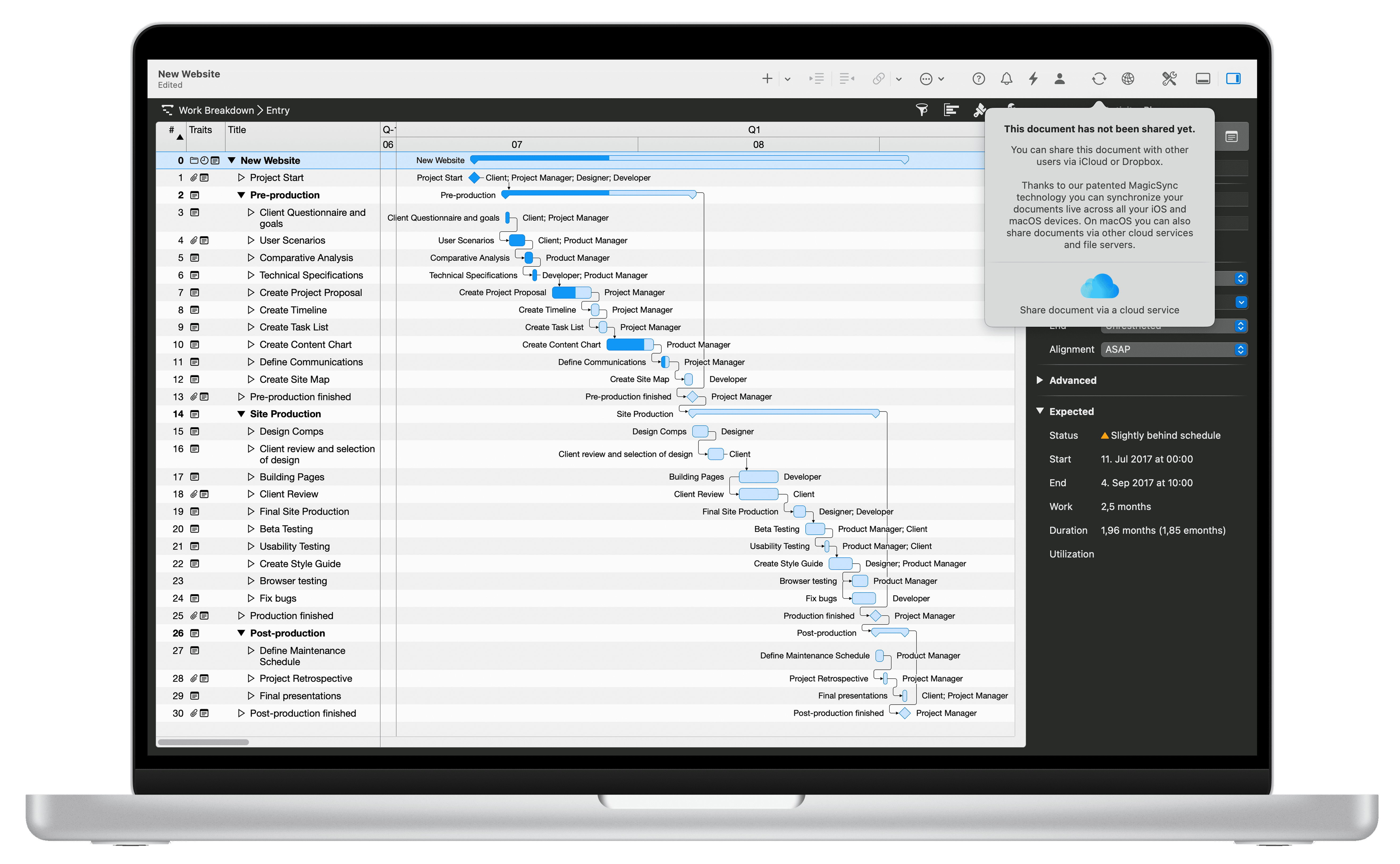
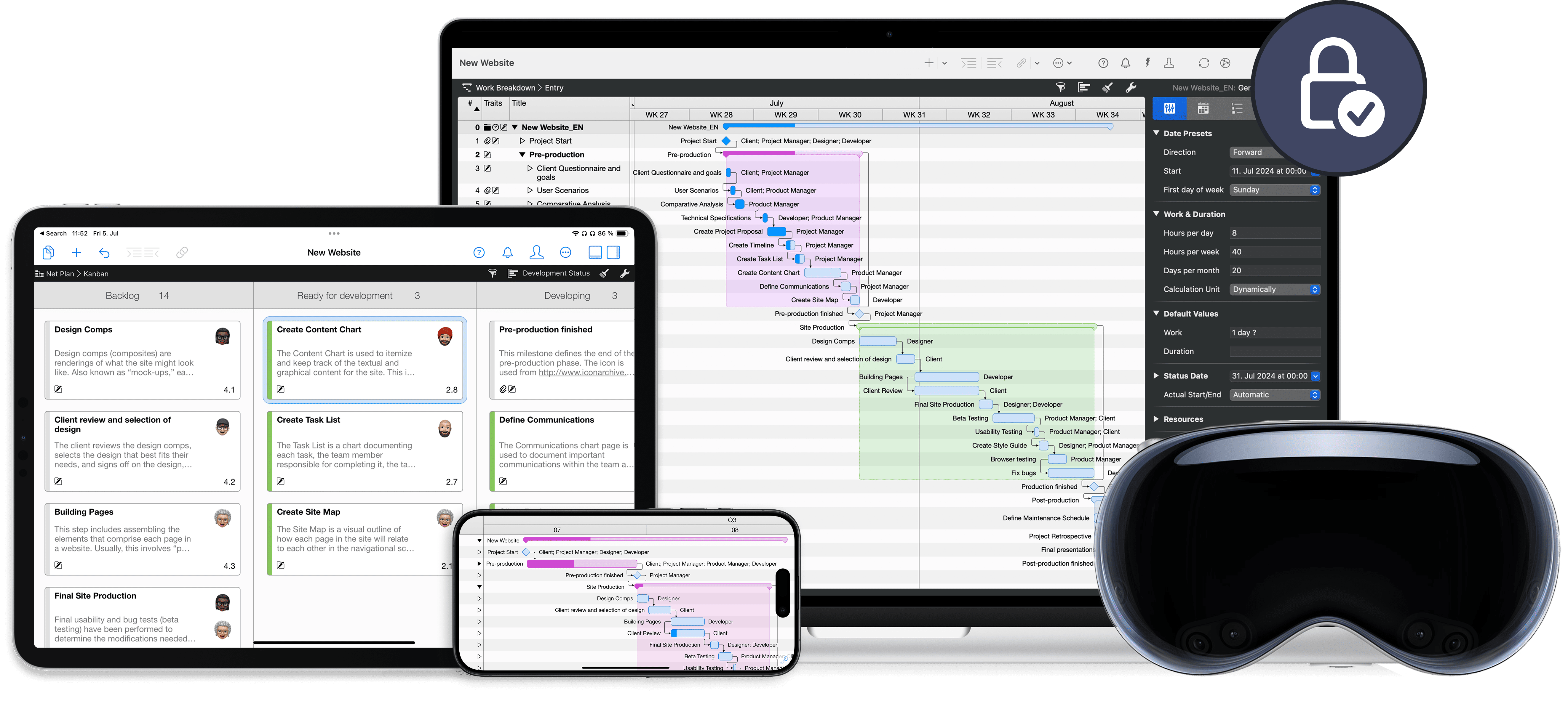
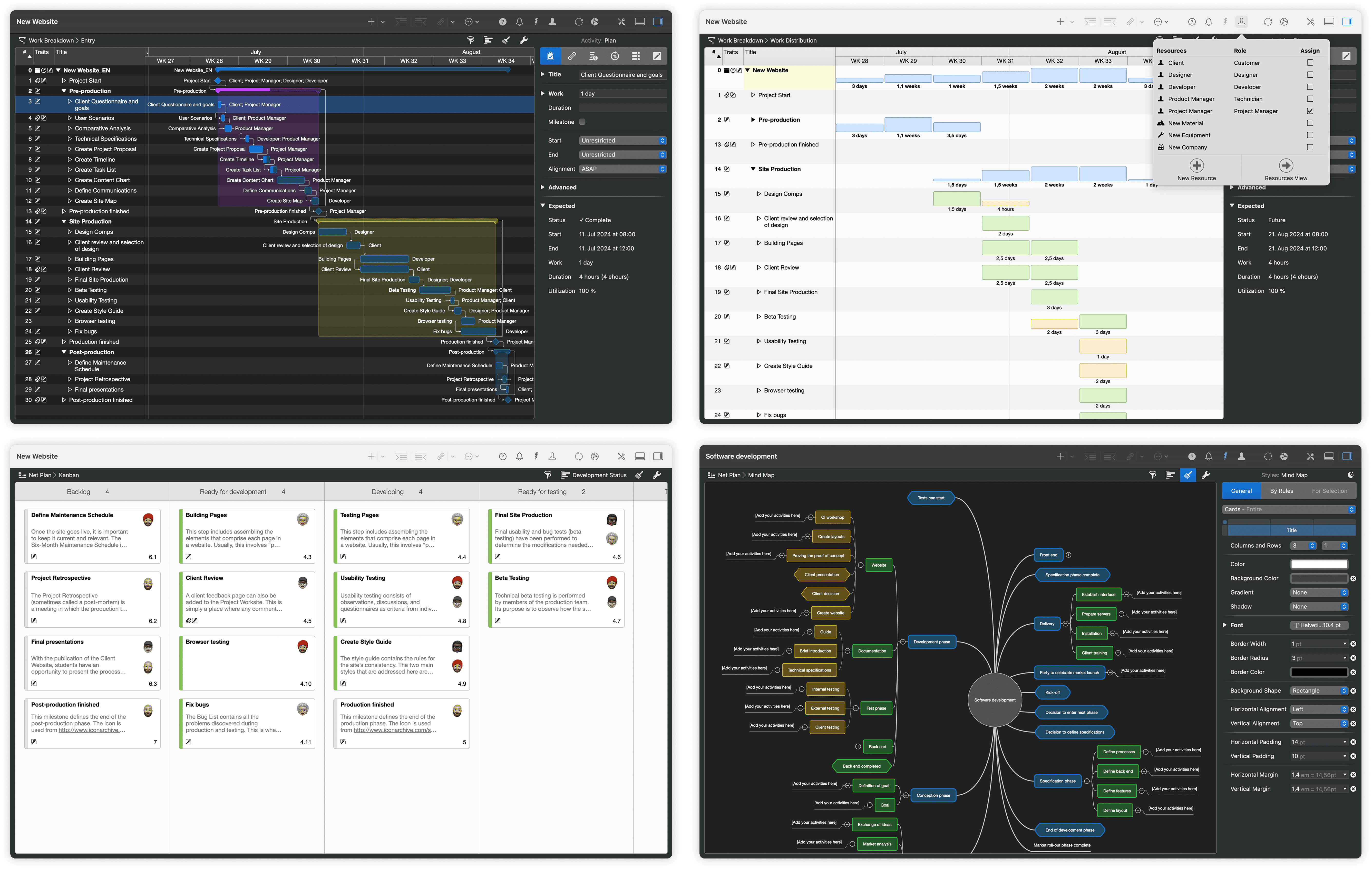
One plan that masters every method.
Agile in Kanban. Classic in Gantt. Creative in the mind map.
All from one file, with nothing to sync.
Gantt Chart
The classic view of the plan. Link tasks, set milestones, read slack times. Enter progress here and the card in Kanban moves on, while the critical path recalculates.
Discover all featuresKanban Boards
The agile view of the work. Slide cards from "To Do" to "Doing" to "Done". Every move ripples into the Gantt: dates, critical path and progress recalculate, without you switching views.
Discover all featuresMind Maps
The creative starting point. Collect ideas in any order and group them into branches. Every branch becomes a phase in the work breakdown, every node a task or milestone.
Discover all featuresWorkload
Assign people, materials, companies and equipment to tasks. The workload view shows right away who's at capacity and what's double-booked. One task moved, one bottleneck gone, across all projects.
Discover all featuresExport & Integration
PDF reports for clients, plans as images for presentations, XML and CSV for Microsoft Project or MindManager. What you plan in Merlin Project comes out where you need it.
Discover all featuresUsed by teams at:
150,000+ Users worldwide · 160+ Countries
What our customers say
Real voices from the App Store, Capterra and direct customer references.
They can finally sync between Mac and iPhone
I started using Merlin 3 some months ago and was eagerly waiting for the sync between projects on Mac and iPhone. Since two weeks the beta of Merlin Project 4 is available and they really nailed it. Now you have the power of one of the best PM apps on Mac and a nice little iPhone app. I completely switched to that solution. Pros: I like the fle...
Mac and iPad apps great (4 star) & iPhone useful but 3 star and could be great
Brilliant app. Well worth the subscription. Just so powerful. Brings the power of trello, MS project, plus many other tools together. Love it. Rated 4 star rather the 5 only bec...
Strawberryfrog
We chose Merlin Project because it helps us stay integrated, be accountable, and stay organized!
Merlin in the construction industry
I've been using Merlin for several years now, both for our construction project planning and for our internal office planning. I searched a long time for an intuitive tool — and found it in Merlin. Pros: Really the only true project management tool on the Mac. Very nice user interface, easy to use, steep learning curve. Cons: Hmm … even after ...
A Fantastic Piece Of Software
I'm a construction manager for a $5 billion a year company. We are all Primavera P6 / Oracle users trapped in a PC world. Translating from the company scheduler’s perception o...
A Swiss screwdriver for organisation, the Teutonic way
A real tool requires a thorough learning curve. The tutorials are of high quality, the support never falters, the ergonomics are well crafted. Do not skip the learning phase. I...
Leave a review on Capterra
Share your experience with Merlin Project on Capterra.
Pricing overview
Download the software and test all features free for 30 days.

Merlin Project for iPad
You travel a lot and plan on the iPad?
For the mobile project manager on iPad, Apple Vision Pro or iPhone.

Merlin Project for Mac
You work on a Mac and plan professionally?
Professional project management for individual users and teams on the Mac.

Merlin Project Express
You plan personal or small projects?
The small version for the private project manager on the Mac.

Frequently asked questions
The most common questions about switching, data privacy, and purchasing, answered briefly.
Can I import existing Microsoft Project files?
Yes. Merlin Project imports and exports Microsoft Project via MS Project XML. Additionally, MPX and formats like MindManager, FreeMind, OmniPlan, OPML, CSV, iCalendar are supported.
Do I need a server or cloud platform?
No. Merlin Project runs entirely locally on your Mac or iPad. For team collaboration the app syncs via iCloud Drive, Dropbox or, on the Mac, practically any common cloud service. You don't need your own server.
At its heart is MagicSync, our patented sync technology. It reconciles changes from multiple users and devices without losing data or producing annoying conflict files, even when several people edit simultaneously.
Does Merlin Project work without an internet connection?
Yes, completely. All features are available offline. As soon as you're back online, Merlin Project syncs your changes automatically, guaranteed without conflict files. Ideal for construction sites, on-site meetings or travel.
Where is my project data stored?
Exclusively on your own devices and, if you enable it, in your personal cloud storage. Merlin Project is not a cloud application and not a SaaS. There is no ProjectWizards server that processes your project data. You alone decide where your data lives.
This makes the app fully GDPR-compliant, a key difference compared to purely cloud-based PM tools. You don't need a data processing agreement (DPA).
What happens after the 30-day trial?
You can try Merlin Project for 30 days without any restrictions. Once the trial ends, you keep read access to all project files you created. Merlin Project becomes a free viewer; edits and export are not available in this mode.
To keep working, choose a monthly or annual subscription as a convenient in-app purchase directly from within the application. No silent background subscription, no hidden costs, and the price of an active subscription stays the same for you, even if we raise it for new customers.
I already bought Merlin Project and want to download the software again.
Open our (link: merlin-project/thank-you text: download page) and the download starts automatically. Your subscription stays valid; simply sign in with it after installing. If you bought through the App Store or Setapp, download the app there again.
